Changing the booking page time slot interval
The booking page slot interval controls which start times clients can choose online. For example, 15 minutes shows 9:00, 9:15, 9:30 and so on. You can choose 5, 10, 15 (default) or 30 minutes.
Where to change it
Go to Settings → Calendar View and choose a 'Booking page slot interval'. It takes effect on your booking page straight away.
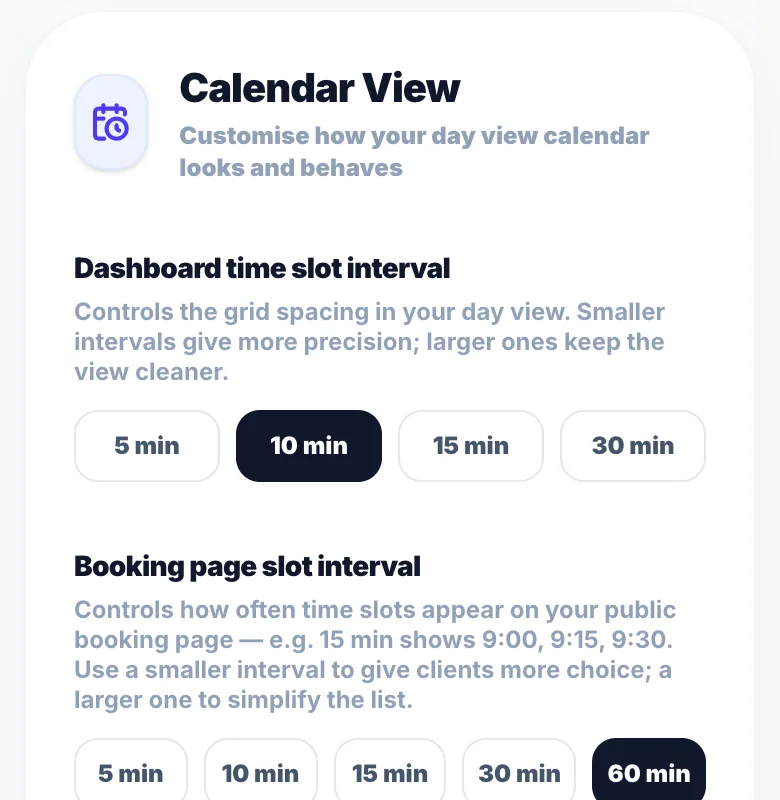
Which interval to choose
5 or 10 minutes gives clients the most choice. 15 minutes works for most people. 30 minutes keeps the list short if your appointments start on the hour or half hour.
Does this affect availability?
It changes how many start times are offered, not your hours. Glamly only shows times with room for the full service before you close.
Version 1.0 · Updated 17 Nov 2026
Was this helpful?
More in Bookings & Calendar
See all- Abandoned bookings — tracking and re-engagementAn abandoned booking is when a client starts booking, a time is held for them, but they don't finish.
- Creating recurring appointmentsRecurring appointments let you book a repeating series for a client in one go — perfect for regular colour clients, weekly blowdries, or monthly treatments.
- Managing a recurring seriesAfter a recurring series is created, you can manage it from the Recurring hub — accessible from the main Bookings Hub on your dashboard.
- Calendar date picker on your public booking pageWhen clients visit your public booking page and select a service, they are shown a full monthly calendar to choose their appointment date.
Still stuck?
Message us and a real person will get back to you. If you're logged in, Settings → Contact Us is quickest.
Not on Glamly yet?
Bookings, deposits, reminders and payments in one app for beauty pros. Try it free for 30 days — no card needed.