How slot notifications work
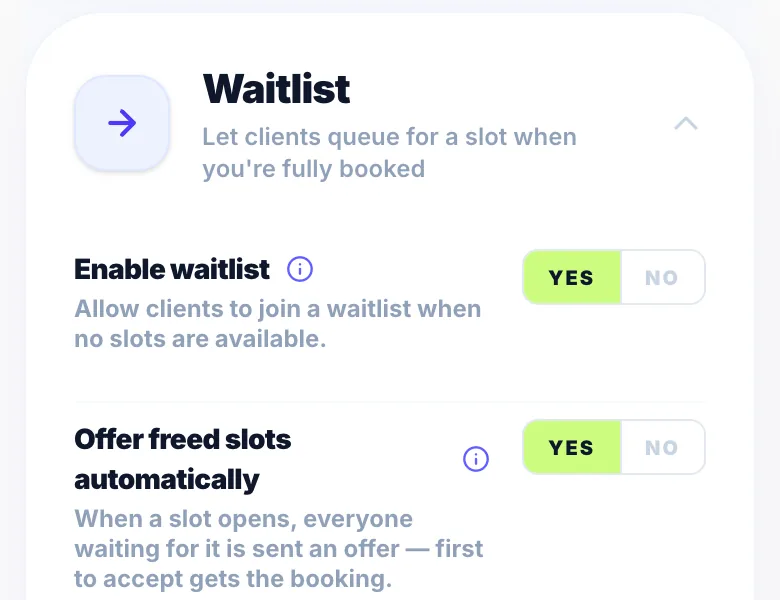
When a booking is cancelled, Glamly automatically emails every eligible person on the waitlist for that service — no action needed from you.
First come, first served
All matching waitlist members receive the offer at the same time. The first person to click Accept gets the appointment. If someone else tries to accept after the slot is taken, they're told it's gone and kept on the waitlist for future openings.
Who is eligible?
A waitlist member is eligible if their preferred service matches, their preferred date matches (or they selected 'Any date'), and their time preference (morning, afternoon, evening, or any) matches the opened slot.
Offer expiry
Slot offers have an expiry window set in Settings → Rules. If a client doesn't respond in time, their entry resets to active and they'll be included in future offers.
Version 1.0 · Updated 17 Nov 2026
Was this helpful?
More in Waitlist
See all- Sending a slot offer manuallyAs well as automatic notifications, you can manually offer a specific slot to any waitlist client at any time.
- How clients accept or decline a slot offerWhen a client receives a slot offer email, they can accept or decline directly from the email — no app or account needed.
- Managing waitlist entriesThe Waitlist page gives you a clear view of everyone waiting and their current status.
- What is the Waitlist?The Waitlist lets clients register their interest in a service when your calendar is full or a cancellation happens.
Still stuck?
Message us and a real person will get back to you. If you're logged in, Settings → Contact Us is quickest.
Not on Glamly yet?
Bookings, deposits, reminders and payments in one app for beauty pros. Try it free for 30 days — no card needed.