Off-peak discounts
Off-peak discounts let you automatically apply a percentage discount when a client books a service during a quieter window — for example, Monday mornings or mid-week afternoons. The discount is applied on the public booking page as soon as the client selects a slot that falls within the configured time window.
Setting up an off-peak rule
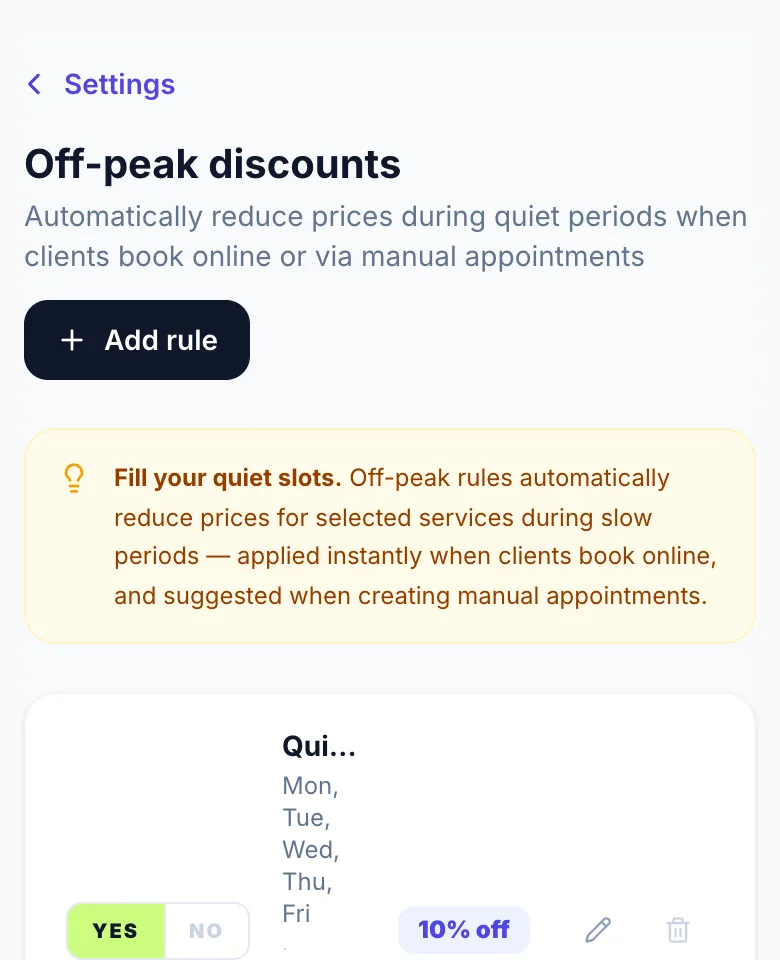
Go to Settings → Off Peak Discounts and click 'Add rule'. Give the rule a name (e.g. 'Quiet Tuesdays'), choose the days and time window, select which services it applies to, and set the discount percentage.
Which services does it apply to?
You can apply a rule to all services or restrict it to specific ones. For example, you might want a Tuesday discount on hair cuts but not colour — just select the relevant services in the rule editor.
How clients see it
When a client picks a time slot that falls inside your off-peak window, the service price updates automatically to show the discounted price. No code or voucher needed — it just works.
Multiple rules
You can have multiple rules active at the same time. If a booking matches more than one rule, the first matching rule (in list order) is applied. Reorder rules by deleting and re-creating them in the desired priority.
Enabling / disabling rules
Each rule has an on/off toggle so you can pause a rule without deleting it — useful for seasonal quiet periods that recur year on year.
Version 1.0 · Updated 17 Nov 2026
Was this helpful?
More in Discounts
See all- Early bird pricingEarly bird discounts reward clients who book first-thing in the morning — a great way to fill slots that would otherwise sit empty until walk-in time.
- Applying a discount to a manual bookingWhen creating a manual appointment from the dashboard, you can apply a one-off discount — useful for loyalty rewards, staff bookings, or correcting pricing exceptions.
- Discounts vs Promotions — what's the difference?Glamly offers two separate tools for reducing prices: Promotions and Discounts.
Still stuck?
Message us and a real person will get back to you. If you're logged in, Settings → Contact Us is quickest.
Not on Glamly yet?
Bookings, deposits, reminders and payments in one app for beauty pros. Try it free for 30 days — no card needed.