What is Business Insights?
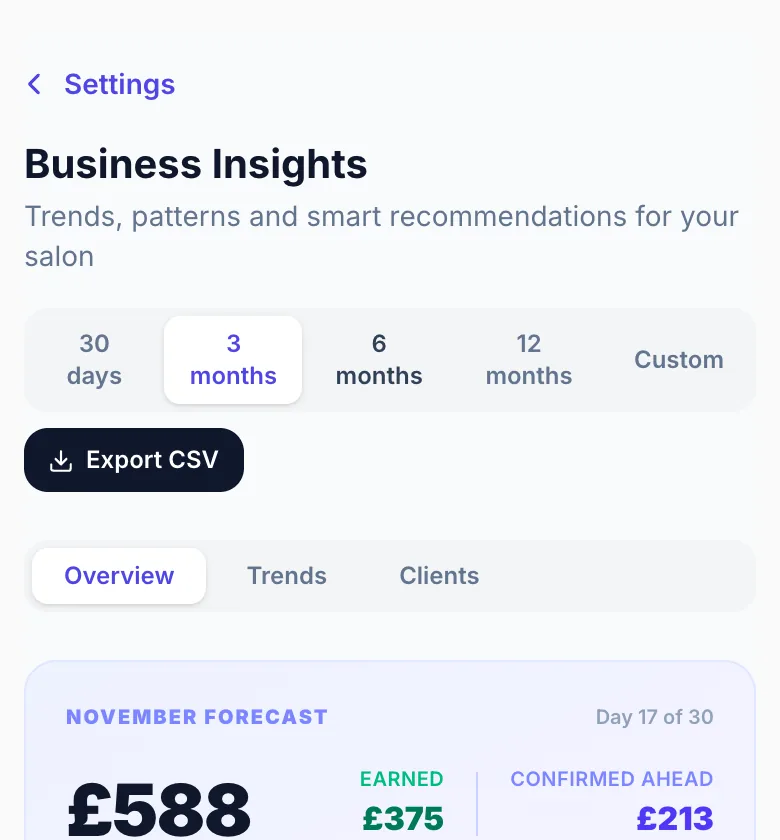
Business Insights is your built-in analytics and reporting hub. It analyses all your appointment data and turns it into clear metrics, charts, and personalised recommendations — so you can make smarter decisions about pricing, scheduling, and promotions without needing to be a data expert.
Where to find it
Go to Settings → Business Insights. The page loads automatically with your appointment data from the selected time period.
What it shows
Revenue, bookings, average booking value, unique clients, cancellation and no-show rates, revenue lost to attrition, return rate, busiest days and hours, monthly trends, service performance, a booking heatmap, and a personalised Smart Suggestions panel.
Data source
Insights pulls from all your appointments across every status. The more booking history you have, the more accurate and valuable the suggestions become.
Version 1.0 · Updated 17 Nov 2026
Was this helpful?
More in Business Insights
See all- Choosing a time periodAll metrics on the Insights page are calculated for the selected time period.
- Understanding the key metricsThe top section of the Insights page shows four headline metrics, each with a trend indicator comparing the first and second halves of the selected period.
- Reading the charts and heatmapThe visual sections of Insights — bar charts and the booking heatmap — make patterns visible at a glance.
- Smart SuggestionsSmart Suggestions are the most actionable part of Business Insights.
Still stuck?
Message us and a real person will get back to you. If you're logged in, Settings → Contact Us is quickest.
Not on Glamly yet?
Bookings, deposits, reminders and payments in one app for beauty pros. Try it free for 30 days — no card needed.