Full payments — collecting the full amount upfront
Full payments let you collect the whole service price when the client books, instead of a deposit.
Turning it on
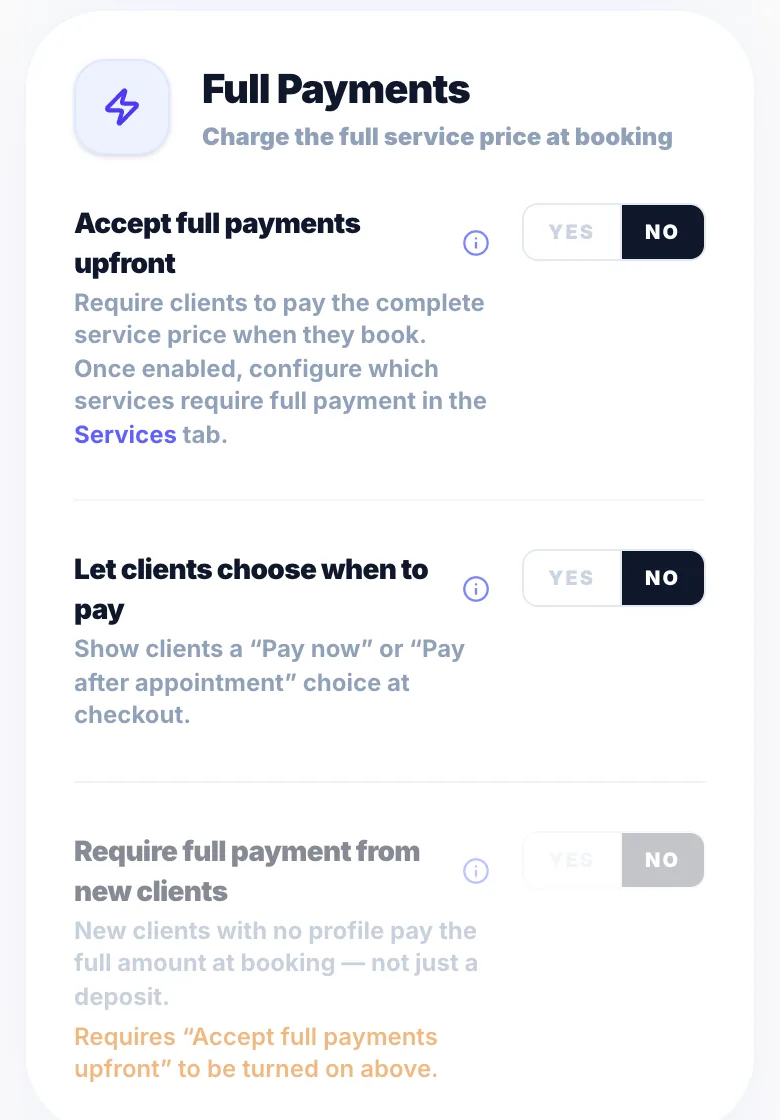
Go to Settings → Payments and turn on 'Accept full payments upfront'.
Per service
Open a service in Settings → Services Menu and turn on 'Require full payment?'. This replaces the deposit and card on file for that service.
New clients only
In Settings → Payments you can require full payment from clients booking for the first time.
Per client
Open a client in Clients and turn on 'Require full payment' to make that client always pay in full.
Refunds
Full payments can be refunded from the booking panel, in full or in part.
Fee
Glamly's 0.5% processing fee applies to full payments.
Version 1.0 · Updated 17 Nov 2026
Was this helpful?
More in Deposits & Payments
See all- Glamly's processing feeGlamly charges a 0.5% processing fee on card payments you take through Glamly.
- Payment protection when using manual approvalWith manual approval on, a client may pay a deposit or full payment before you confirm.
- Recording cash and manual paymentsNot every payment goes through Stripe.
- Tap to Pay — take card payments on your phoneTap to Pay lets you take contactless card, Apple Pay and Google Pay payments on your phone in the Glamly app.
Still stuck?
Message us and a real person will get back to you. If you're logged in, Settings → Contact Us is quickest.
Not on Glamly yet?
Bookings, deposits, reminders and payments in one app for beauty pros. Try it free for 30 days — no card needed.