Salon notifications (email alerts for you)
Glamly can send email notifications directly to your business inbox so you're always in the loop — even when you're not checking the dashboard.
New booking alerts
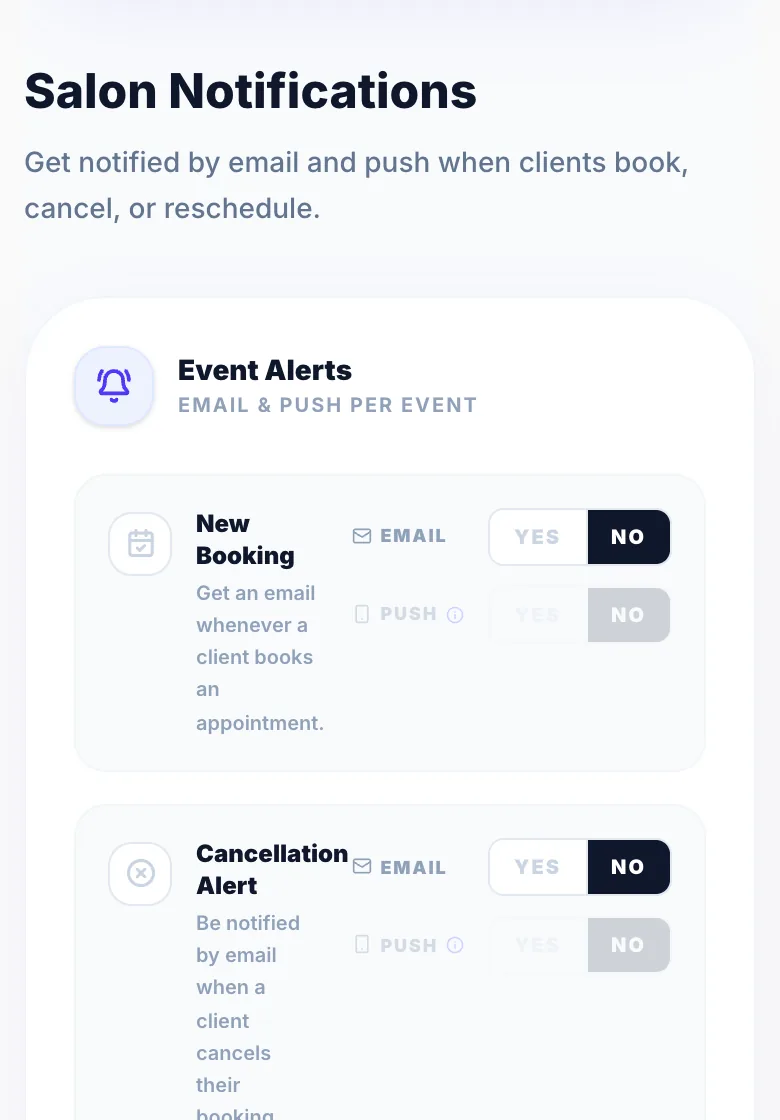
Get an email as soon as a client books an appointment, including their name, service, date, and time. Toggle this on under Settings → Notifications → Salon Notifications.
Cancellation alerts
Receive an email when a client cancels through their manage link, so you can quickly offer the slot to someone else.
Reschedule request alerts
Know immediately when a client requests a new time, with the original appointment details included so you can respond promptly.
Where emails are sent
Alerts go to your business email in Settings → Business Details. Make sure it's an inbox you check.
Version 1.0 · Updated 17 Nov 2026
Was this helpful?
More in Notifications
See all- Push notifications — get the Glamly appPush notifications tell you straight away when a client books, cancels, reschedules or pays, even when Glamly isn't open.
- WhatsApp message allowance & usage limitsGlamly includes a monthly WhatsApp message allowance on every plan.
- How client notifications workGlamly sends automated notifications to clients throughout their booking journey via WhatsApp and email — keeping them informed without any extra work from you.
- Customising notification settingsControl which notifications are sent and how in Settings → Notifications.
Still stuck?
Message us and a real person will get back to you. If you're logged in, Settings → Contact Us is quickest.
Not on Glamly yet?
Bookings, deposits, reminders and payments in one app for beauty pros. Try it free for 30 days — no card needed.