Stripe — accepting deposits and payments
Glamly uses Stripe to take card payments: deposits, full payments, payment links, gift voucher sales and Tap to Pay. You connect Stripe once and the money goes straight to your own Stripe account.
Checking your connection
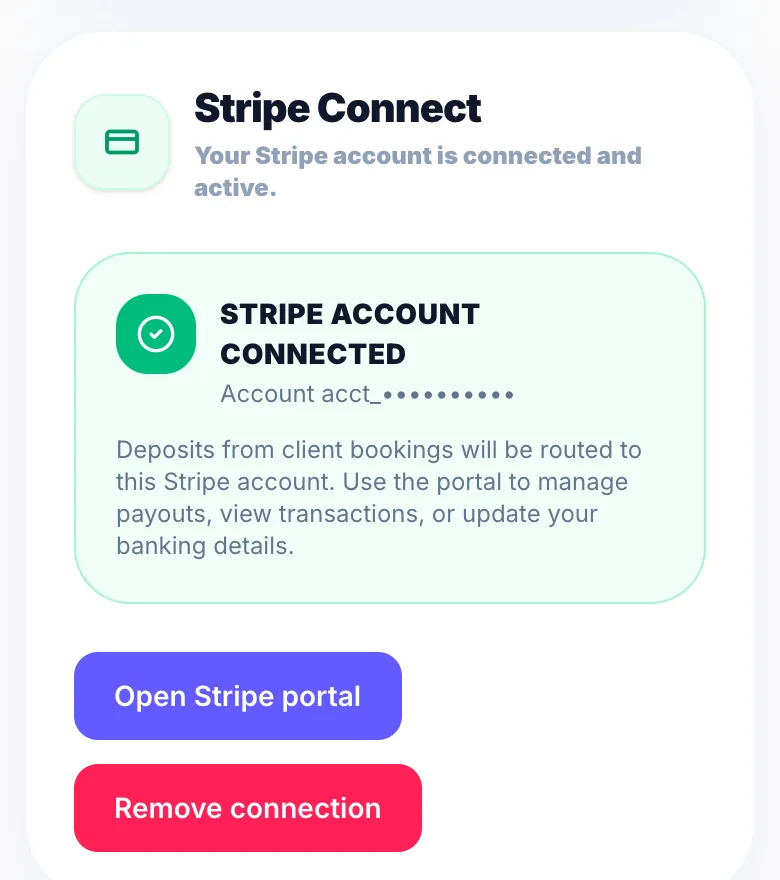
Go to Settings → Payments. The Stripe Connect section shows whether you're connected and able to take payments.
If you haven't connected yet
Tap the connect button in Settings → Payments. Stripe asks for your name, date of birth, address and the bank account you want paying into. This is a standard identity check handled securely by Stripe.
Payouts
Stripe pays your balance into your bank on its own schedule. See your balance and upcoming payouts in Settings → Earnings, or in your Stripe dashboard.
Fees
Stripe charges its own card fees. Glamly adds a 0.5% processing fee on payments you take through Glamly, except deposits, which carry no Glamly fee. See 'Glamly's processing fee' for the full list.
Version 1.0 · Updated 17 Nov 2026
Was this helpful?
More in Getting Started
See all- Things to check after onboardingOnboarding covers the essentials, but these are worth checking before you share your booking link.
- Working from multiple locationsIf you work from more than one salon or studio on different days — renting a chair at a second salon, splitting time between two addresses, or anything similar — Glamly's multiple locations feature lets you assign a different address to each working day.
- Processing time — colour and treatment servicesProcessing time lets you accurately represent services like colour treatments where the client sits while the colour develops — and you're free to work on someone else.
- Switching from another system — importing your dataIf you're moving to Glamly from another booking system (Fresha, Timely, a spreadsheet, or anything else), you don't have to start from scratch.
Still stuck?
Message us and a real person will get back to you. If you're logged in, Settings → Contact Us is quickest.
Not on Glamly yet?
Bookings, deposits, reminders and payments in one app for beauty pros. Try it free for 30 days — no card needed.