A client paid — where's my money?
When a client pays a deposit, a full payment, a payment link or by Tap to Pay, the money goes straight into your own Stripe account. You don't need to move it or do anything to receive it. Here's where to see it and when it reaches your bank.
Check the booking
Open the booking. Once the client has paid, it shows 'Deposit paid' (or 'Paid' for a full payment).
Every payment in one list
Go to Bookings → Payments. The Collected tab lists every payment you've received, including card, Tap to Pay, cash and deposits you marked as paid in person. The Outstanding tab shows what clients still owe.
Your Stripe balance
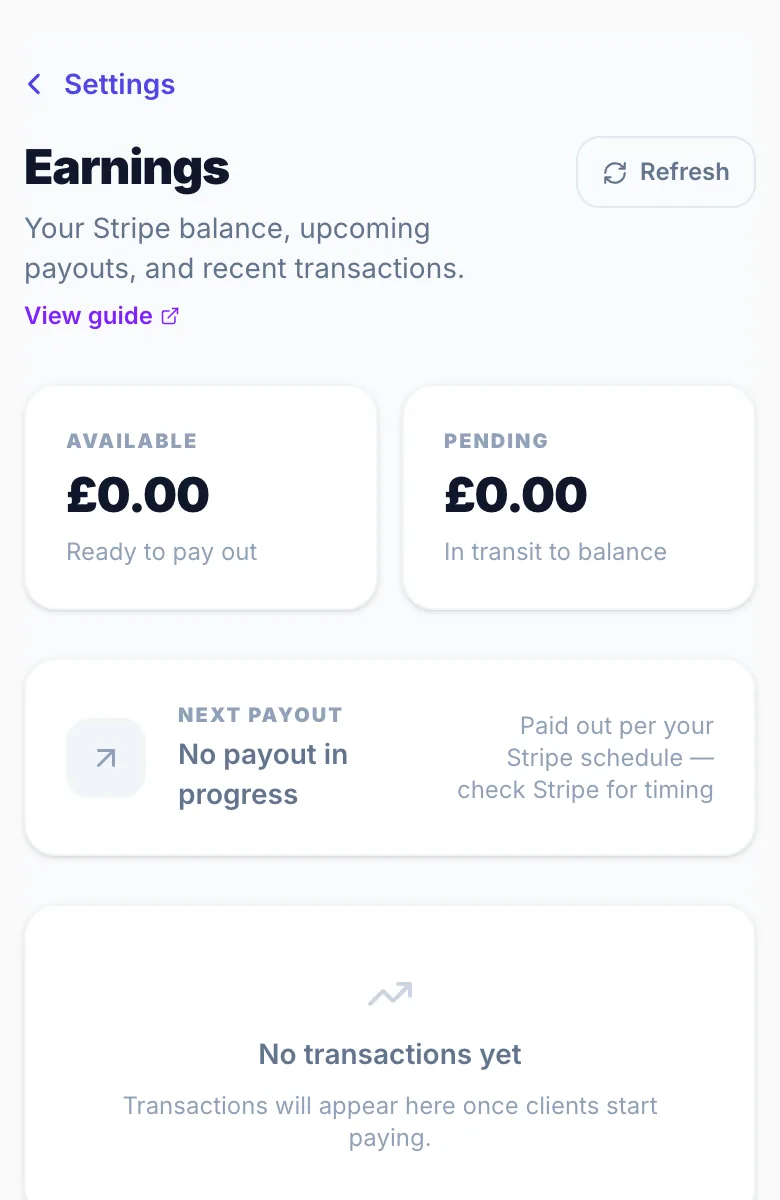
Go to Settings → Earnings. This reads straight from your Stripe account and shows your available balance, your pending balance, your next payout and your recent transactions, with Stripe's fee and the amount you receive for each one.

Why it says pending
Stripe holds each card payment for a few days before it can be paid out. While it's held it shows under Pending in Settings → Earnings. New Stripe accounts usually have a longer hold, often 7 days, for the first few weeks.
When it reaches your bank
Once a payment moves from pending to available, Stripe pays it into your bank on your payout schedule. If your payouts are set to manual, the money stays in Stripe until you pay it out yourself. Contact us and we can switch you to weekly payouts so it arrives automatically.
Tap to Pay and payment links
These work exactly the same way: the money goes into the same Stripe account and appears in Settings → Earnings and Bookings → Payments.
Cash and in-person payments
Cash and payments you mark as paid in person show in Bookings → Payments but not in Settings → Earnings, because they never go through Stripe.
Fees
Deposits carry no Glamly fee, only Stripe's card fee. Full payments, payment links and Tap to Pay carry Glamly's 0.5% fee, which is taken before the money reaches your Stripe balance.
Version 1.0 · Updated 17 Nov 2026
Was this helpful?
More in Deposits & Payments
See all- Your Earnings pageEarnings shows the money you've taken through Glamly: your Stripe balance, your next payout and every transaction.
- Payment processing fee credit systemWhen a full payment is refunded, Glamly automatically returns the 0.5% payment processing fee to your credit balance — so you're never charged for a transaction that didn't happen.
- Setting up depositsDeposits protect your time by making sure clients are committed before their appointment.
- How deposits work for clientsWhen a client books a service that needs a deposit, they pay it by card before the booking is confirmed.
Still stuck?
Message us and a real person will get back to you. If you're logged in, Settings → Contact Us is quickest.
Not on Glamly yet?
Bookings, deposits, reminders and payments in one app for beauty pros. Try it free for 30 days — no card needed.