Announcement banner on your booking page
Show a message at the top of your booking page: holiday closures, Christmas availability, new treatments or offers.
Setting it up
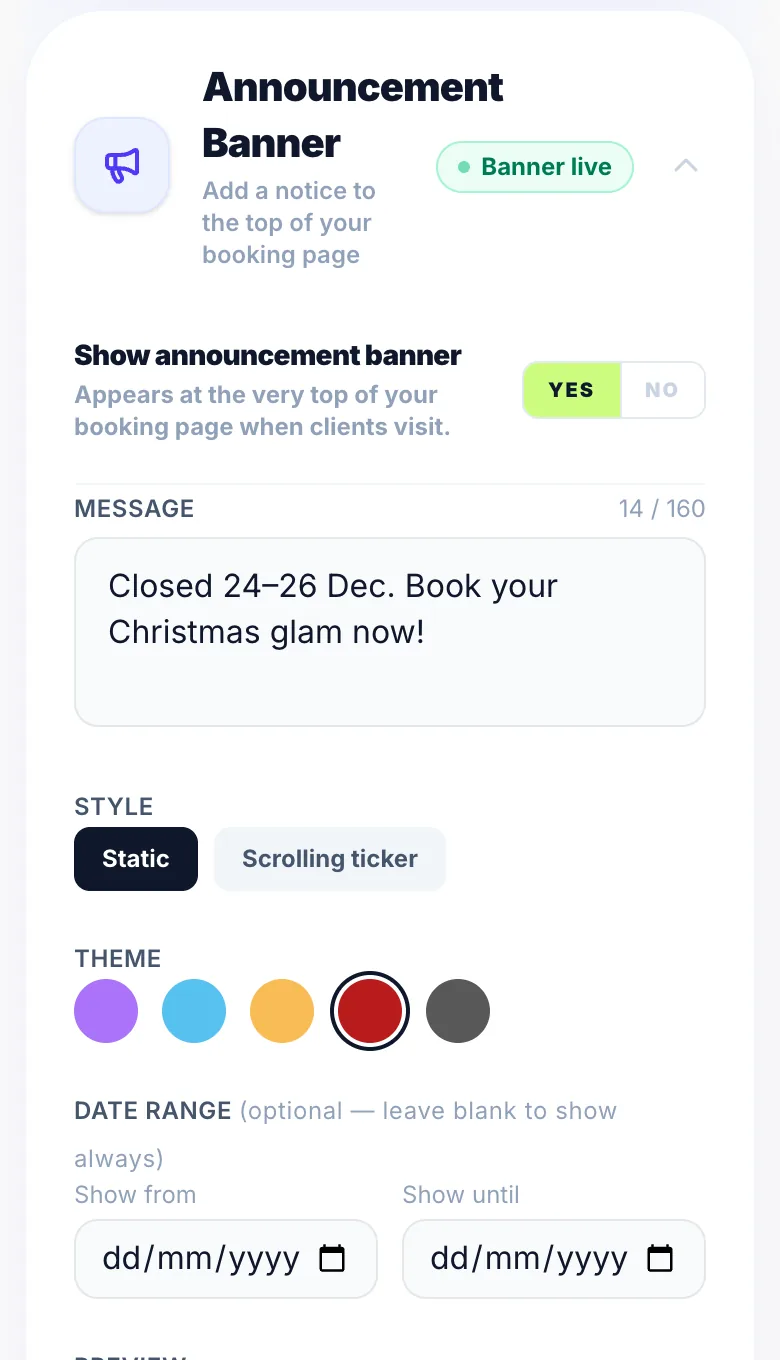
Go to Settings → My Booking Link → Announcement banner. Write your message, pick a style and effect, and optionally add a button link.
Dates
Set start and end dates and the banner shows and hides itself automatically.
Version 1.0 · Updated 17 Nov 2026
Was this helpful?
More in Getting Started
See all- Stripe — accepting deposits and paymentsGlamly uses Stripe to take card payments: deposits, full payments, payment links, gift voucher sales and Tap to Pay.
- Things to check after onboardingOnboarding covers the essentials, but these are worth checking before you share your booking link.
- Working from multiple locationsIf you work from more than one salon or studio on different days — renting a chair at a second salon, splitting time between two addresses, or anything similar — Glamly's multiple locations feature lets you assign a different address to each working day.
- Processing time — colour and treatment servicesProcessing time lets you accurately represent services like colour treatments where the client sits while the colour develops — and you're free to work on someone else.
Still stuck?
Message us and a real person will get back to you. If you're logged in, Settings → Contact Us is quickest.
Not on Glamly yet?
Bookings, deposits, reminders and payments in one app for beauty pros. Try it free for 30 days — no card needed.