Booking window — how far ahead clients can book
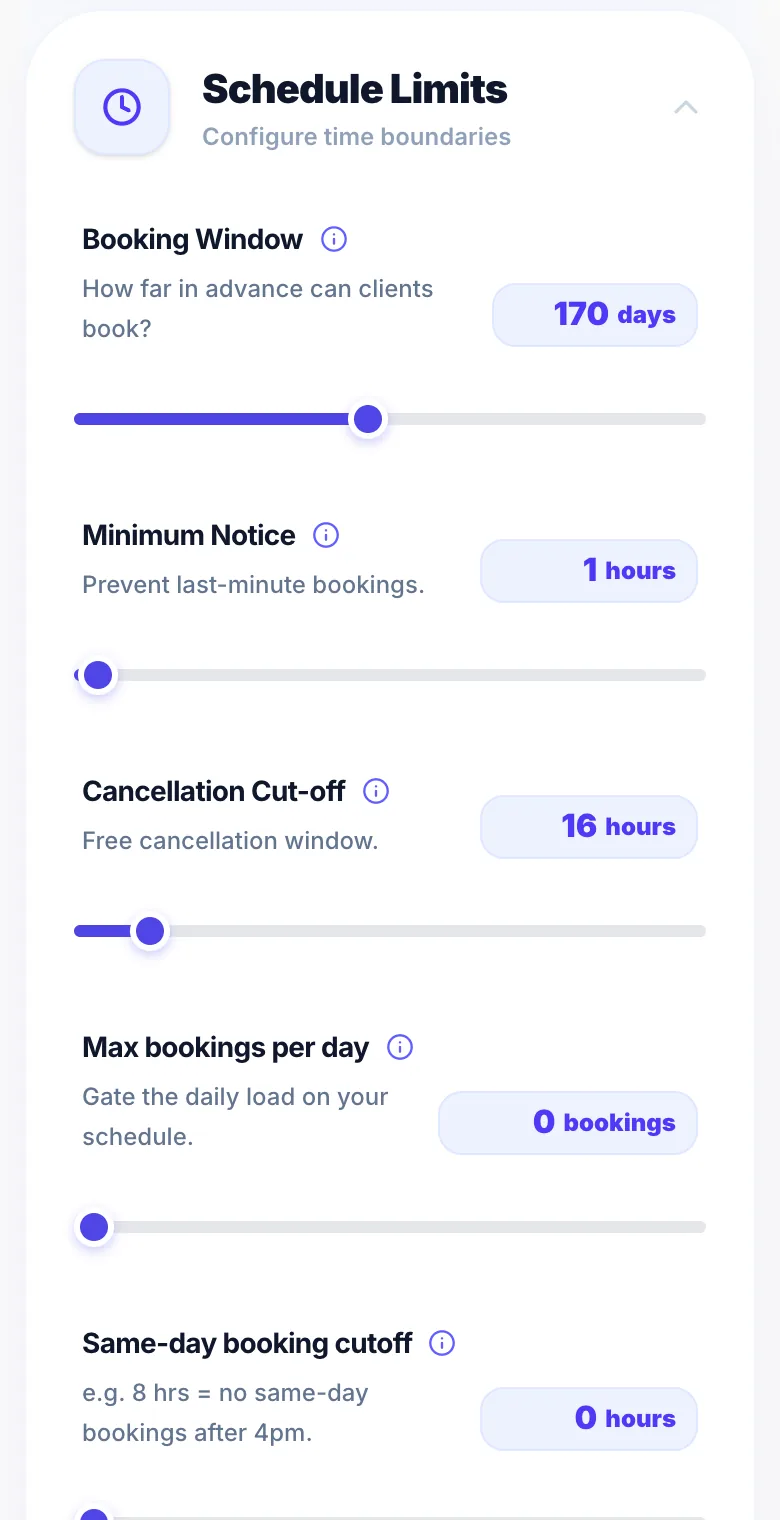
The booking window controls how far in advance clients can book. For example, if set to 60 days, clients can only book within the next 60 days.
Where to set it
Go to Settings → Rules and find 'Booking window'. Set the number of days.
Why it matters
A shorter window (e.g. 30 days) keeps your calendar manageable. A longer window suits practitioners who take bridal or event bookings months in advance.
Version 1.0 · Updated 17 Nov 2026
Was this helpful?
More in Bookings & Calendar
See all- Minimum notice periodThe minimum notice period stops clients booking at very short notice.
- Buffer time between appointmentsBuffer time adds an automatic gap between appointments so you have time to clean up, prepare, or travel before the next client arrives.
- Booking Optimisation — avoiding unusable gapsBooking Optimisation decides which times clients are offered so your day doesn't fill up with gaps too short to sell.
- Out-of-hours bookingsOut-of-hours bookings let you accept appointments outside your regular opening hours — for example, evening cuts or weekend sessions — and charge a premium price for that flexibility.
Still stuck?
Message us and a real person will get back to you. If you're logged in, Settings → Contact Us is quickest.
Not on Glamly yet?
Bookings, deposits, reminders and payments in one app for beauty pros. Try it free for 30 days — no card needed.