Changing a client's saved card
If a client's bank cancels or replaces their card, they can swap in their new one from their booking page, or you can ask them to.
Your client changes it
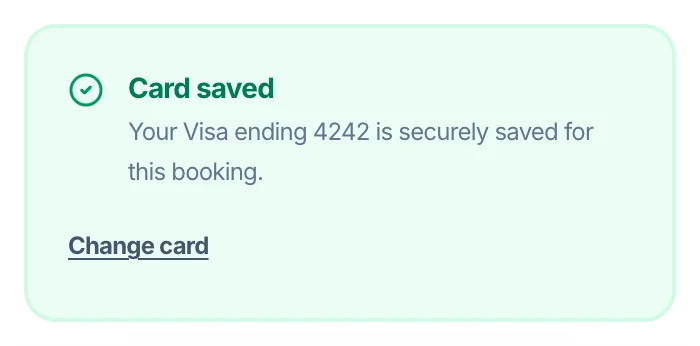
On their booking page (or in My Bookings) the client sees 'Card saved' with the card's last four digits and a Change card link. They enter their new card and it replaces the old one on that booking, on their other upcoming bookings with you, and on their client profile. Nothing is charged.
Asking them for a new card
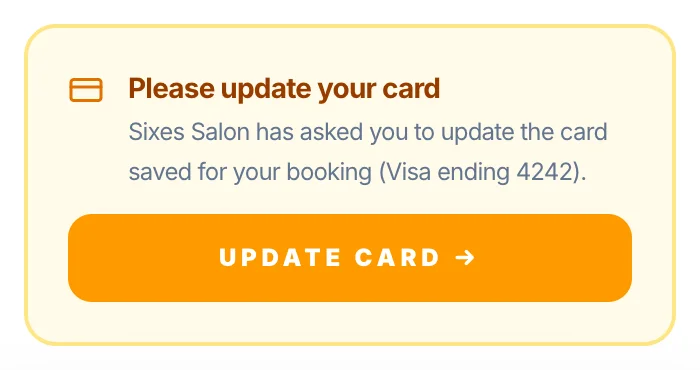
Open the booking, and under Card on file tap 'Ask for a new card'. The client gets an email (or WhatsApp) saying 'Card update needed', and their booking page shows 'Please update your card' with an Update card button.
When it can't be changed
Once a booking has been charged, the card on it can't be changed. Past and cancelled bookings keep the card they had.
Securing future bookings
If you've turned on 'Saved card secures bookings you make', the client can tick to agree that their new card secures appointments you book for them. See 'Saved card secures bookings you make'.
Version 1.0 · Updated 21 Nov 2026
Was this helpful?
More in Deposits & Payments
See all- Pay later with Klarna and ClearpayWhen clients pay a deposit, a full payment or a payment link, Stripe can offer Klarna and Clearpay as well as cards, Apple Pay and Google Pay.
- A client paid — where's my money?When a client pays a deposit, a full payment, a payment link or by Tap to Pay, the money goes straight into your own Stripe account.
- Your Earnings pageEarnings shows the money you've taken through Glamly: your Stripe balance, your next payout and every transaction.
- Payment processing fee credit systemWhen a full payment is refunded, Glamly automatically returns the 0.5% payment processing fee to your credit balance — so you're never charged for a transaction that didn't happen.
Still stuck?
Message us and a real person will get back to you. If you're logged in, Settings → Contact Us is quickest.
Not on Glamly yet?
Bookings, deposits, reminders and payments in one app for beauty pros. Try it free for 30 days — no card needed.