Cutting down no-shows
Glamly has several settings that protect you from no-shows. Use one or layer them up. Because they're rules, not a conversation, nobody has to feel singled out.
Deposits from first-time clients
In Settings → Payments you can ask for a deposit only from clients who haven't booked with you before. Your regulars book as normal. See 'Setting up deposits'.
Approve new clients yourself
Turn on New client approval in Settings → Rules → Booking Mode. Bookings from first-time clients go to Pending until you accept them, even if everyone else books instantly.
Block repeat no-shows
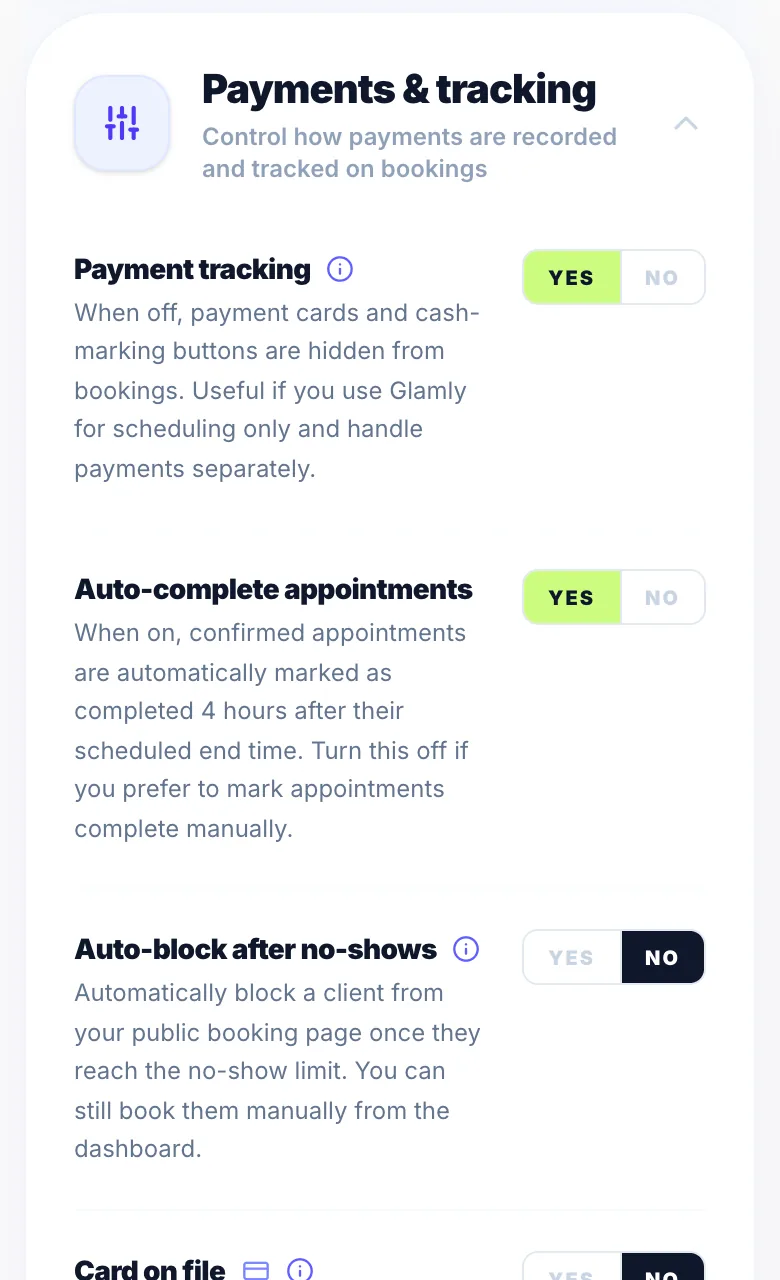
Turn on 'Auto-block after no-shows' in Settings → Rules → Payments & tracking and choose a limit from 1 to 10. Once a client reaches it, they can't book on your booking page. You can still book them in from the dashboard, and you can unblock them from their client profile.
Ask specific clients to pay in full
Open a client in Clients and turn on 'Require full payment'. They pay the whole price every time they book. See 'Requiring full payment from a specific client'.
Save a card
Card on file saves the client's card at booking so you can charge them if they don't turn up. See 'Card on file and no-show charges'.
How it fits together
For example: a new client pays a deposit and you approve their booking. If they don't turn up, you mark the no-show and it's added to their record. If they keep doing it, they're blocked once they hit your limit.
Version 1.0 · Updated 17 Nov 2026
Was this helpful?
More in Cancellations & No-Shows
See all- Cancelling every appointment on one dayIll, closed or snowed in? Cancel all the day's appointments at once and every client is told why.
- How clients cancel a bookingClients cancel their booking using the manage link in their WhatsApp confirmation message — no need to contact you directly.
- How to cancel a booking as the businessYou can cancel any booking from your dashboard at any time.
- Setting a cancellation cutoffThe cancellation cutoff defines how many hours before an appointment a client can cancel and still receive a deposit refund.
Still stuck?
Message us and a real person will get back to you. If you're logged in, Settings → Contact Us is quickest.
Not on Glamly yet?
Bookings, deposits, reminders and payments in one app for beauty pros. Try it free for 30 days — no card needed.