Diary Release — choose when each month opens
Diary Release lets you add your time off for a month before clients can book it.
Where to find it
Settings → Rules → Diary Release.
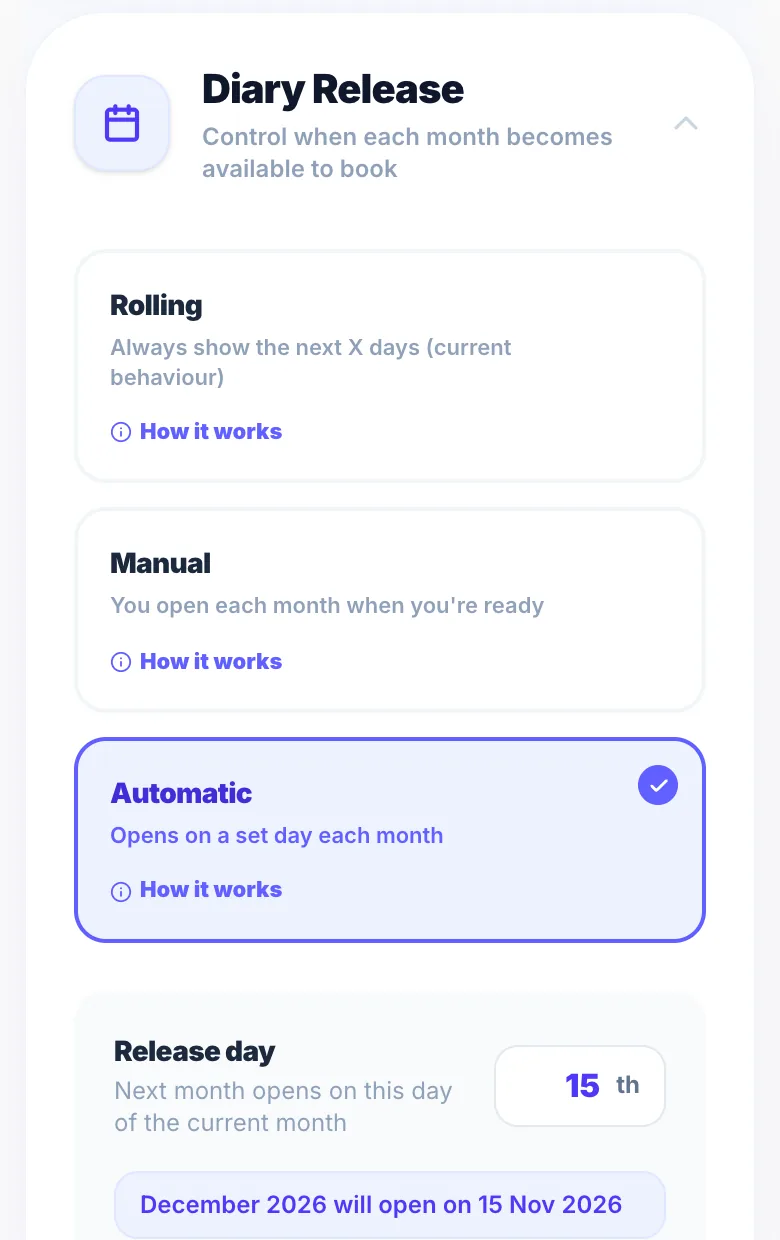
Rolling
The default: clients can book a set number of days ahead (your booking window).
Manual
You open each month yourself when you're ready, for example after adding your holidays.
Automatic
Pick a day of the month and the next month opens on that day each month.
Booking window still applies
In every mode, clients still can't book further ahead than your booking window.
Version 1.0 · Updated 17 Nov 2026
Was this helpful?
More in Business Rules
See all- New client waitlistWhen you've paused new clients, people who can't book can join a new client waitlist instead of leaving empty-handed.
- Setting your opening hoursOpening hours define which days and times clients can book.
- Days off and time offBlock out dates or times when you're not available, without changing your regular opening hours.
- Opening hours vs when you can be bookedYour opening hours are your usual week.
Still stuck?
Message us and a real person will get back to you. If you're logged in, Settings → Contact Us is quickest.
Not on Glamly yet?
Bookings, deposits, reminders and payments in one app for beauty pros. Try it free for 30 days — no card needed.