Extras — add-ons clients choose at booking
Extras are optional add-ons clients can choose when booking, like nail art, a gel top coat or a conditioning treatment. Each has its own price and can add time.
Creating extras
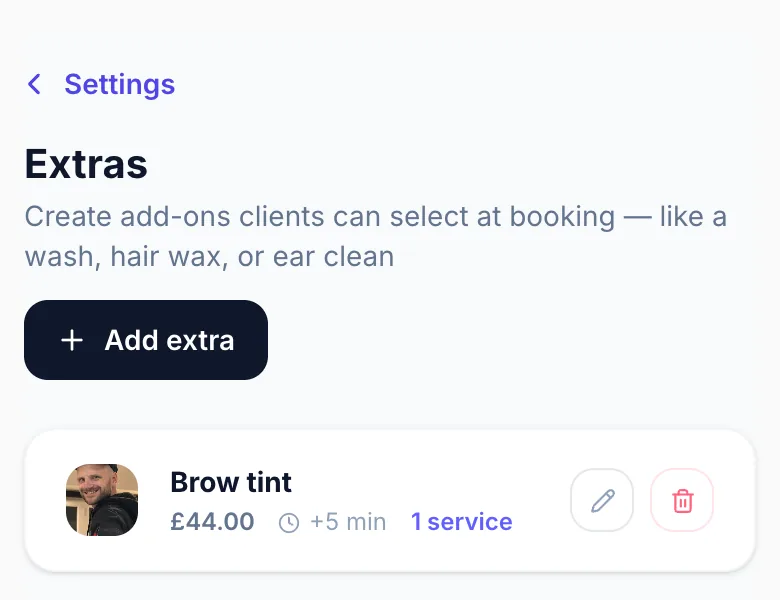
Go to Settings → Extras and add an extra with a name, price and any extra minutes it needs. If it adds time, Glamly adds those minutes to the appointment and books the right length in your calendar.
Linking extras to services
Choose which services each extra is available for. Clients only see extras linked to the service they picked.
Client experience
After choosing a service, the client can add extras. The price and length update automatically. If the service has no extras linked, the step is skipped.
Examples
- Brow tint with a lash extension booking
- Nail art on a gel set
- Soak-off removal with a new nail set
- Conditioning treatment with a colour
Tips
- Use clear names. 'Brow tint' is clearer than 'Add-on treatment'.
- Only link extras that make sense for the service. A conditioning treatment fits a colour, not a trim.
- Add the extra minutes if it really adds time, so you don't end up running short.
- If the same extra costs more on some services, for example nail art on extensions, make a separate extra for each price and link each to the right services.
Version 1.0 · Updated 17 Nov 2026
Was this helpful?
More in Services & Extras
See allStill stuck?
Message us and a real person will get back to you. If you're logged in, Settings → Contact Us is quickest.
Not on Glamly yet?
Bookings, deposits, reminders and payments in one app for beauty pros. Try it free for 30 days — no card needed.