Setting a reschedule cutoff
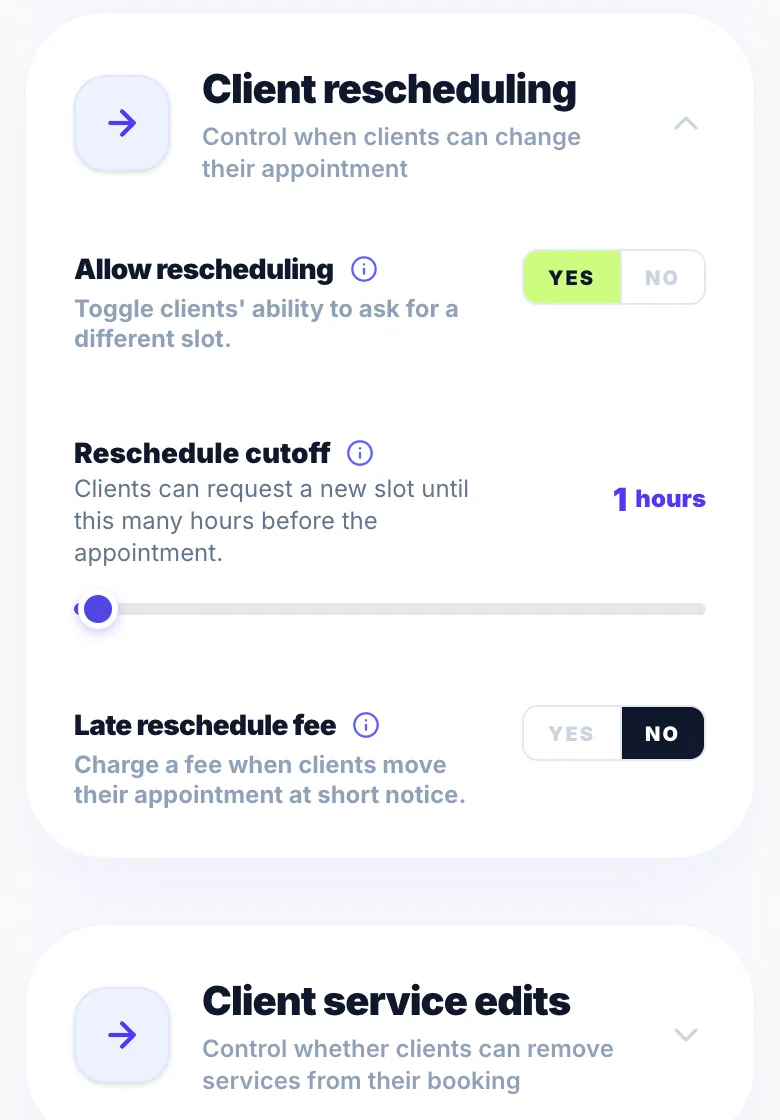
The reschedule cutoff prevents clients from rescheduling at very short notice.
Where to set it
Go to Settings → Rules and find 'Reschedule cutoff'. Set the number of hours.
Example
With a 24-hour cutoff: a client can reschedule freely until 24 hours before. After that, the option is hidden and they'd need to contact you directly.
Charging for short-notice moves
To charge a fee for moves shortly before the cutoff (for example between 48 and 24 hours), switch on 'Late reschedule fee' in the same section. See 'Late reschedule fee'.
Version 1.0 · Updated 17 Nov 2026
Was this helpful?
More in Rescheduling
See allStill stuck?
Message us and a real person will get back to you. If you're logged in, Settings → Contact Us is quickest.
Not on Glamly yet?
Bookings, deposits, reminders and payments in one app for beauty pros. Try it free for 30 days — no card needed.