More than
a client list.
Know who your clients are, what they've had done, what they've spent, and the details that matter before their next appointment.
30-day free trial · No credit card required
Remember everything
about every client.
When you have 80 clients, you cannot rely on memory. You cannot remember that Emma is allergic to a specific gel formula, that Jade prefers a shorter nail shape, that Sarah had a patch test six months ago, or that Charlotte hasn't been in since January.
The context behind each client is what separates a good beauty professional from an exceptional one. Glamly stores it all — so you walk into every appointment prepared, not scrambling.
Walk into every
appointment prepared.
Every client has a complete profile that builds automatically with each visit. Before any appointment, you can see exactly who is coming, what they've had before, and anything you need to know.

The context that makes
your service exceptional.
Not just a name and a number. Every detail that helps you deliver a better experience.
Full appointment history
Every past visit in one place — service, date, price paid, and any notes from the appointment.
Spend tracking
Total lifetime spend, average booking value and payment history — always up to date.
Private notes
Freeform notes visible only to you — colour formulas, technique preferences, sensitivities, reminders.
Consultation forms
Send forms before the appointment. Answers are stored permanently on the client profile — referenced at every future visit.
Document storage
Upload and store skin test records, consent forms, patch test results or any document relevant to the client.
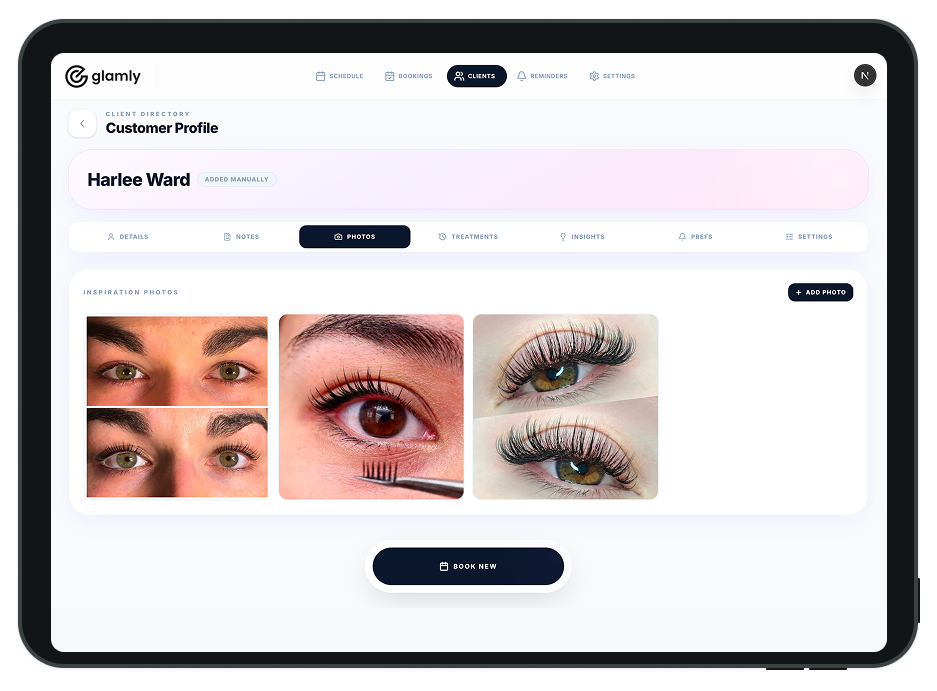
Client photos
Attach before/after photos to a client profile. Useful for colour matching, brow mapping, or any visual reference.
Rebook alerts
Glamly tracks each client's visit pattern and flags who is overdue to return — before they drift away.
Payment flags
Set per-client payment rules — always deposit, always full payment — regardless of your general policy.
The detail behind
four clients.
The value of client management is not in storing data — it is in having useful context when the client arrives. These are the kinds of situations Glamly helps you handle without effort.
Asha's coming in for her 3-week infill.
Her profile shows she had the Classic Natural set last time and found the Volume set too heavy. Her consultation notes flag a mild sensitivity to one adhesive brand. You swap it without being asked.
Jade's coming in for a BIAB infill.
Last time she changed the colour halfway through. Her notes say she needs extra time for decisions. You block an extra 10 minutes and remind yourself not to rush the colour selection.
Charlotte is coming in for a root touch-up.
Her consultation form is on file — completed six months ago. Her colour formula from the last three visits is in her appointment history. You prep the exact mix before she arrives.
Mark hasn't been in since February.
Glamly flagged him as overdue three weeks ago. The lapsed client automation has already sent him a gentle message. He replied last night and is booked in for Thursday.
Works best with.
Common questions.
Does Glamly automatically create client profiles?
Can I add notes to a client profile?
Can I store consultation forms in Glamly?
Can I see how much a client has spent with me?
Can I get alerts when a client is overdue to rebook?
Can I export my client list?
Ready to make running your beauty business easier?
Glamly brings your bookings, payments, clients and business tools together in one place — built specifically for beauty professionals.
30 days free · No credit card required