Beforecare: what clients get before their visit
Beforecare tells clients how to prepare, like arriving with no mascara for lashes or skipping exfoliation before a wax. Choose where it's sent so clients get it at the right time without repeats.
Setting it up
Go to Settings → Aftercare and tap Add Aftercare. Tick the treatments it's for, choose the Beforecare type, add a title, then write your notes (or start from a template) or upload up to 3 documents (PDF, Word or an image). Each entry is either notes or documents, not both.
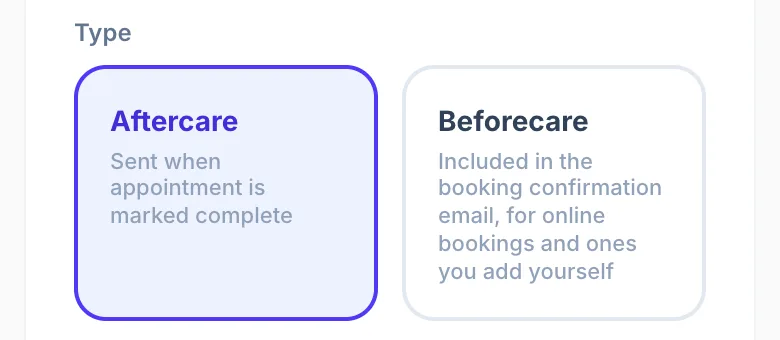
Where clients get it
- In the booking confirmation email: online bookings, ones you add yourself, and bookings you approve. A confirmation you resend includes it too.
- Once in a reminder, if you switch on 'Beforecare in reminders'. That covers your email reminders and WhatsApp reminders, and it's left out if the separate beforecare email has already gone out. On WhatsApp it's a short version with 'full details in your booking link'.
- In a separate email, if you set 'Beforecare email before the visit' to 1, 2, 3, 5 or 7 days before. It's sent from 9am that day, once per booking, and only to bookings made earlier than that.
Avoiding repeats
Glamly keeps repeats down for you: after the confirmation, a client gets your beforecare one more time at most, either in the separate email or in their first reminder (not both, and not in every reminder). If you'd like it a few days before the visit, set 'Beforecare email before the visit'. If you'd rather it came with the reminder, leave that email off and switch on 'Beforecare in reminders'.
Documents and images
Uploaded images (JPG, PNG or WebP) show in the email itself, in confirmations, reminders and the separate beforecare email. Other files, like PDFs and Word documents, show as a link to open. Preview as client in Settings → Aftercare shows it the same way.
Version 1.1 · Updated 22 Nov 2026
Was this helpful?
More in Services & Extras
See all- Adding and editing servicesServices are what clients book.
- Hiding a serviceHide a service from your public page without deleting it.
- Extras — add-ons clients choose at bookingExtras are optional add-ons clients can choose when booking, like nail art, a gel top coat or a conditioning treatment.
- Aftercare instructions and documentsAftercare lets clients see your aftercare advice and documents after their appointment, so you don't have to send it separately.
Still stuck?
Message us and a real person will get back to you. If you're logged in, Settings → Contact Us is quickest.
Not on Glamly yet?
Bookings, deposits, reminders and payments in one app for beauty pros. Try it free for 30 days — no card needed.