Your booking link and public page
Your booking link is created during onboarding and is ready to share from day one. It looks like glamly.uk/your-name.
Finding your link
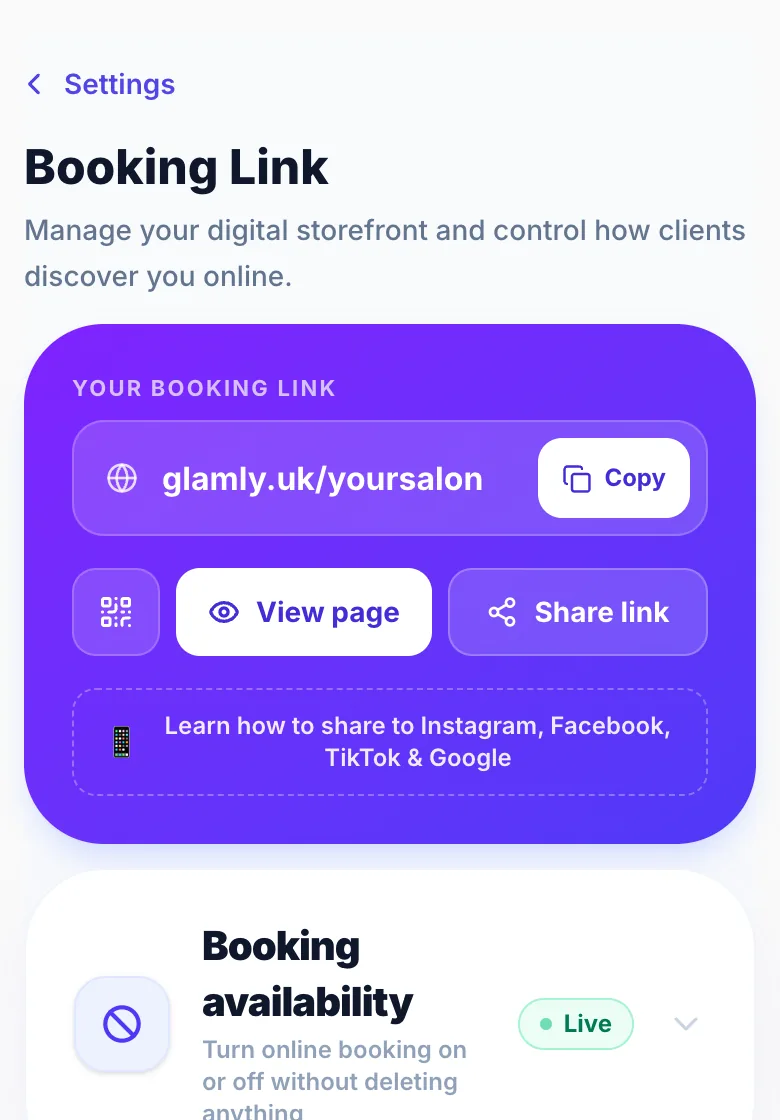
Go to Settings → My Booking Link. Your link is at the top with a copy button, and you can download a QR code for it there too.
Customising your page
In Settings → My Booking Link you can change your description, hero images, social media links, parking information, opening hours display, an announcement banner and more.
Sharing your link
The more places you share your link, the more bookings you'll get: Instagram and TikTok bio, WhatsApp profile, Google Business Profile, and anywhere you advertise.
Version 1.0 · Updated 17 Nov 2026
Was this helpful?
More in Getting Started
See all- Hiding your address on your booking pageIf you work from home you don't have to show your address to everyone who visits your booking page.
- Adding appointment information for clientsTell clients what they need to know before they arrive: parking, which door to use, what to bring or how to prepare.
- Announcement banner on your booking pageShow a message at the top of your booking page: holiday closures, Christmas availability, new treatments or offers.
- Stripe — accepting deposits and paymentsGlamly uses Stripe to take card payments: deposits, full payments, payment links, gift voucher sales and Tap to Pay.
Still stuck?
Message us and a real person will get back to you. If you're logged in, Settings → Contact Us is quickest.
Not on Glamly yet?
Bookings, deposits, reminders and payments in one app for beauty pros. Try it free for 30 days — no card needed.